EA Sphere documentation › Continuity
Learning and acknowledgments
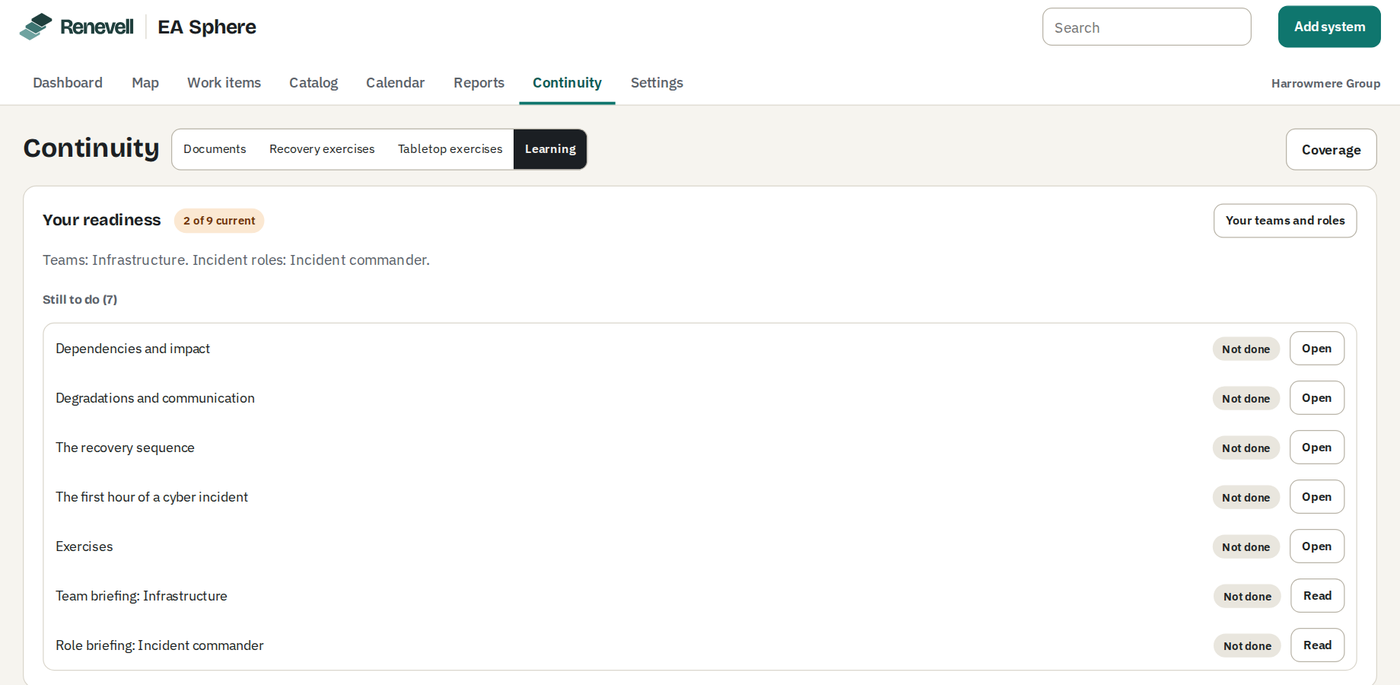
Learning, under Continuity, holds what people need to know before an incident and records who has completed it.
| Item | What it contains |
|---|---|
| Team briefings | One for each owner team, generated from its records: the records it owns with their tiers, objectives, recovery steps, contacts and support; what depends on them; what must be restored before them; open items such as tier gaps, overdue reviews and open follow-up actions; and the last twelve months of degradations that have started, and of exercises. |
| Role briefings | One for each incident role: who holds it, the bridge and first steps, the other roles, recovery priorities and communication audiences, with further sections for command, communication, legal and security roles. |
| Business continuity package | The full package, to be read and acknowledged. |
| Concepts | Six short pages: recovery tiers and objectives; dependencies and impact; degradations and communication; the recovery sequence; the first hour of a cyber incident; and exercises. Each includes figures from your own records and a knowledge check of three questions. A check is recorded only when every answer is correct, which is verified on the server; the page shows Recording… until EA Sphere has recorded it. |
- Your readiness shows how many of the items required of you are current and lists the rest under Still to do, with their number. Select Your teams and roles to choose the owner teams you belong to and the incident roles you hold; the briefings for them are then required of you as well. Teams and roles are matched as names are compared, so a role renamed only in capitals or spacing stays chosen. Team and role names of up to 200 characters are kept in full. Your readiness lists only the teams and incident roles still in Settings. If a team or incident role is removed in Settings while its briefing is open, the page goes back to Learning, says that the briefing was closed because its team or incident role is no longer in Settings, and moves the focus to the page heading. Acknowledging such a briefing is refused, with a message that there is nothing to acknowledge; the page then reads the settings again and closes the briefing.
- Completions stay current for the period set under Settings, Continuity, twelve months by default, and are then due again. Each person's record is written only by that person, and completion times are set by EA Sphere rather than the browser.
- Jira administrators select Coverage to see, for every member of the readiness groups set under Settings, Continuity, their status for the package, the concept checks and their briefings, and can export the report as CSV. The report lists the first 500 people and shows the rest on request; the export includes everyone the report reads. Up to 10,000 members are read from each group. Group membership is read from Jira when the report is opened and is not stored. A readiness group Jira does not have, or whose members Jira does not return, is named in a note above the report. When the sample company is loaded, one of the loading administrator's own Jira groups is set as its readiness group, so the report has people to show.